Pubs and bars
Pub group bookings with pre-orders that run themselves
Birthdays, leaving dos, darts teams and Sunday lunches for twenty. Send one link, and every guest's menu choices and allergies arrive before the day.
A big table on a busy night is good business, as long as the kitchen is ready for it. Taking twenty orders at the table slows service for everyone else, and a group that orders on the night is a gamble on stock.
PreOrderly lets you ask large groups to order ahead without adding work for your team. The organiser shares a join link in their group chat, each person chooses from your group menu, and the kitchen gets totals by dish before the day.
How it works
Three steps
- 01
Set up a group menu
Publish a short set menu for groups, or your normal menu, with allergens on every dish. Import it from a spreadsheet if that is quicker.
- 02
Send the organiser a PreOrder
Set the date, the table or area, a Choices due date and, if you want one, a deposit. The organiser shares the join link.
- 03
Fire it on the night
Print the run sheets, or use the Kitchen screen, and mark arrivals as the group comes in.
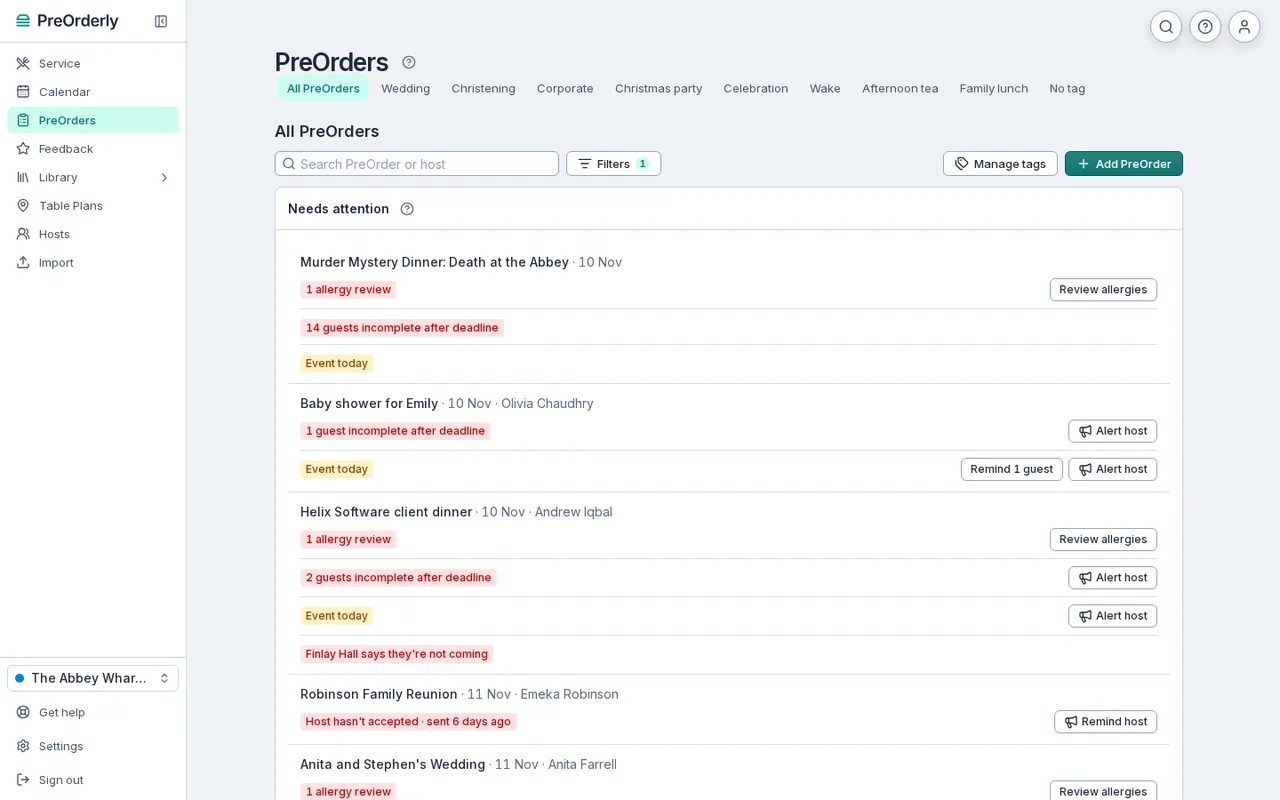
What each booking is missing, with the fix one click away: remind guests, alert the organiser, review allergies.
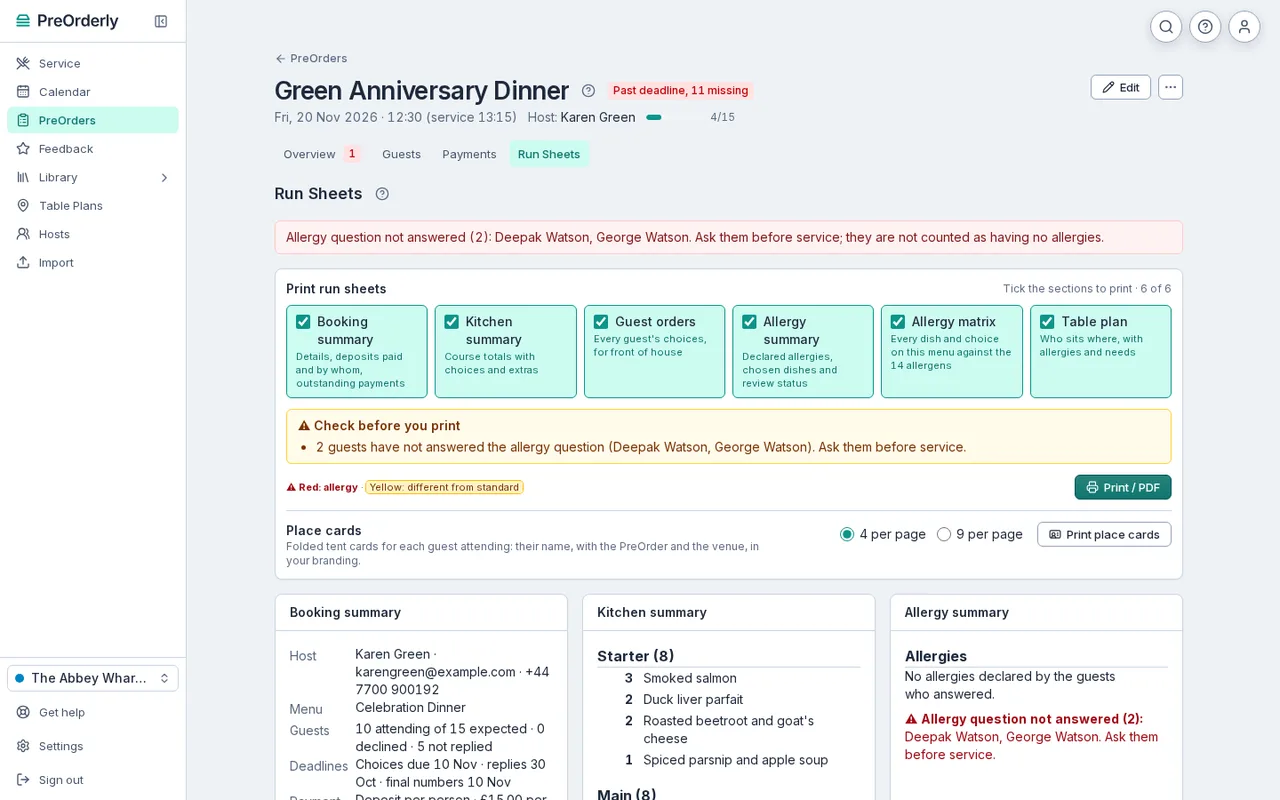
Totals by dish for one group, so the kitchen can prep from a single printout.
Fewer phone calls, fewer no-shows
Most of the time spent on group bookings goes on chasing. PreOrderly sends reminders to guests who have not chosen and tells you, in Needs attention, which bookings are still missing something. A deposit, if you take one, makes a no-show much less likely.
Guests do not need an app or an account. They open the link, add their name, pick their food and tell you about any allergies. If someone rings instead, your team can add their choice for them.
Works for a single pub or a group
If you run more than one site, each venue has its own menus, rooms and bookings, and group view shows everything together. Menus and dishes can be shared across your venues, so a group menu only needs setting up once.
- Rooms and areas, such as the function room, the snug or the garden.
- Extras such as arrival drinks or a birthday cake.
- A calendar of every group booking by date and room.
What the organiser sees
The organiser accepts your booking terms, then shares the join link in their group chat. They can see who has chosen and nudge anyone who has not, without phoning the pub to ask. When the deadline passes, the guest list closes and the kitchen works from the final numbers. Anything that changes after that comes through your team, so nothing slips in unnoticed.
Plans and fees are explained on the pricing page. 30 days free, extended to your first event (up to 60 days).
Is it worth it for groups of eight or ten?
That is up to you. Many pubs send a PreOrder to groups above a certain size, or for set menus only. You choose when to send a PreOrder.
Can the organiser pay for everyone?
Yes. You can take a deposit from each guest, or one deposit from the organiser for the group.
What if someone joins the group late?
They can use the join link until it is full or you pause it, or your team can add them to the PreOrder.
Do we need a booking system as well?
PreOrderly is not a table booking system. Most pubs keep their existing booking tool and use PreOrderly for the group's food, allergies and deposits.
Your next big table, sorted before it arrives.
Set up your menu and send your first PreOrder today.
30 days free, extended to your first event (up to 60 days) · No contract