Christmas parties
Christmas party pre-orders, without the spreadsheet
Send the organiser one link. Every guest picks their festive menu choices, tells you about allergies against their own name and pays their deposit.
December is when group bookings stack up. A table of twelve on Tuesday, two office parties on Friday lunch, forty for a works do on Saturday night. Each one comes with an organiser who promises to send the food choices by Friday, and a kitchen that needs them earlier than that.
PreOrderly replaces the forms, email chains and spreadsheets with a single PreOrder for each booking. The organiser shares one join link in the office group chat, each guest chooses for themselves, and you get numbers the kitchen can trust.
How it works
Three steps
- 01
Publish your festive menu
Build your Christmas set menu with courses, dietary menus and the 14 allergens on every dish, or import it from a spreadsheet.
- 02
Create a PreOrder for each party
Set the date, room and menu, a Choices due date and any deposit, then send it to the organiser, who shares the join link.
- 03
Cook from the run sheets
Guests choose and pay. Reminders chase the stragglers, and on the day you print each party's kitchen totals and allergy list.
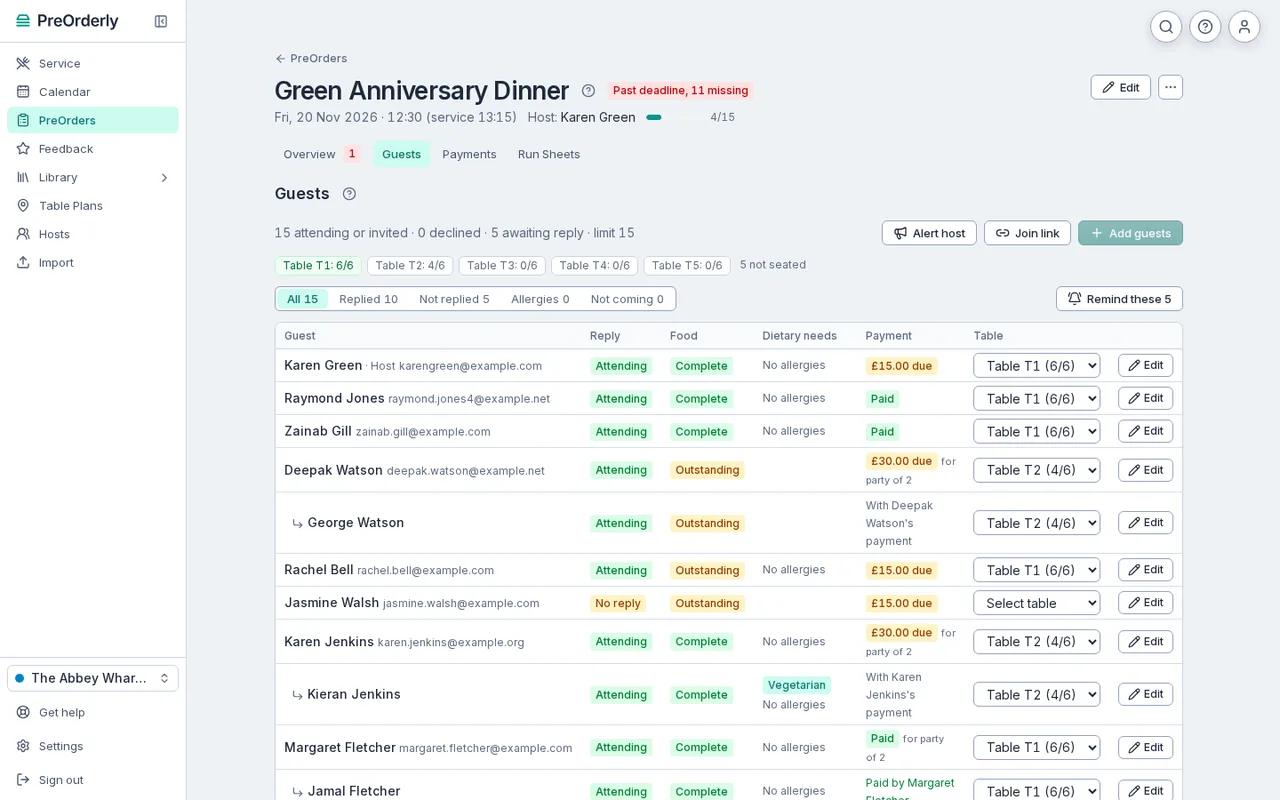
One join link for the whole office. Each guest's reply, food, allergies and payment appear as they come in.
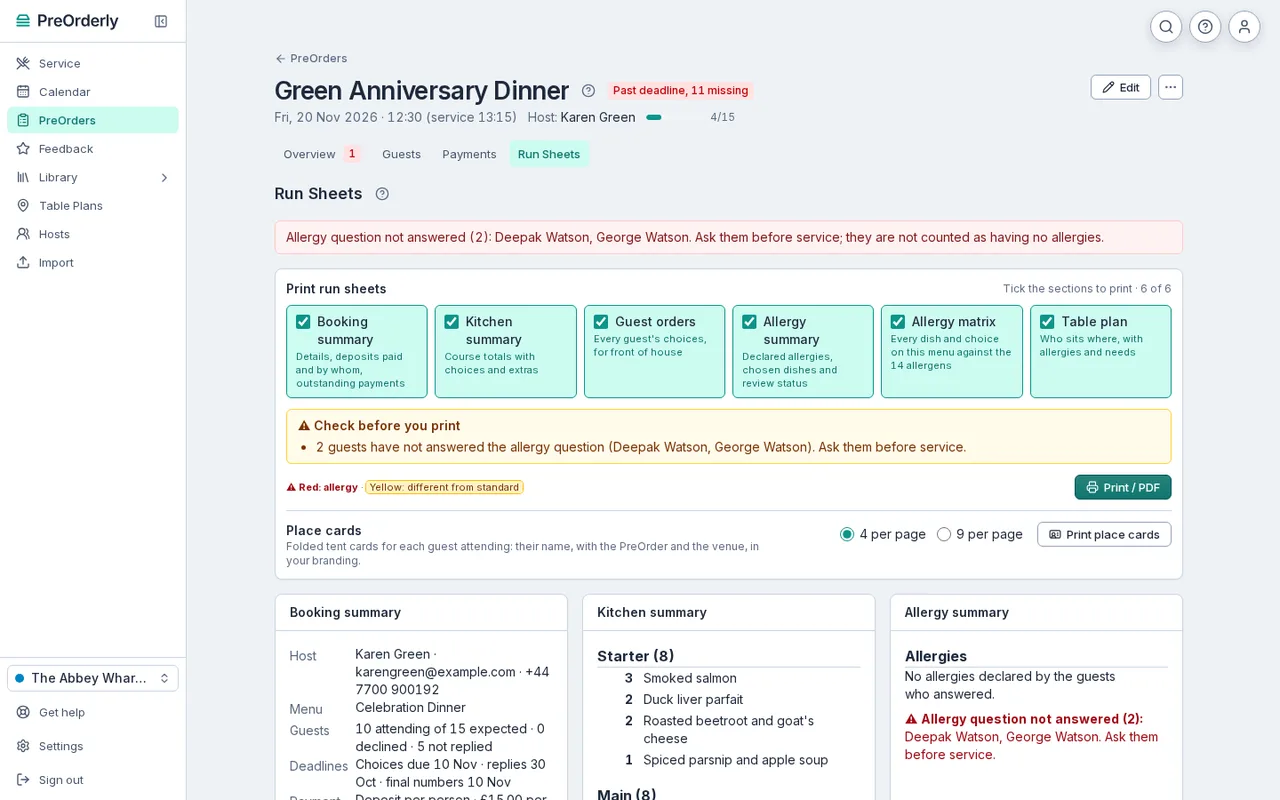
One party's kitchen totals by dish, with guest orders and allergy cards ready to print.
Why Christmas parties are different
Most of the year a group booking is an occasional extra. In the run-up to Christmas it is most of the diary, and the same problems repeat across every booking: late choices, changed minds, allergies that arrive in a message three days before, and deposits paid by bank transfer with no reference.
PreOrderly is built around those problems. Choices are collected from each guest directly, so you are not relying on one organiser to copy forty answers correctly. Allergies are recorded against the person who declared them, and your team reviews each one before service. Deposits go straight into your own Stripe account, matched to the guest who paid.
What you get for each party
Each Christmas booking becomes one PreOrder with everything the kitchen and front of house need:
- A live list of who has replied, chosen and paid, with Needs attention showing what is still missing.
- Automatic reminders that count down to your Choices due date, so you are not the one chasing.
- Run sheets for each party, with totals by dish and an allergy list.
- An allergy list and an allergen matrix for the menu, plus service sheets with table lists.
- Table plans, if you use them, so the organiser can seat their colleagues at your tables.
Deposits and late changes
Deposits are included on every plan (see pricing for the details). You can ask each guest to pay their own deposit, or let the organiser pay for the group. Guests can change their food until your deadline; after that, your team can still edit a guest's order, for example after a phone call, and the change shows on the kitchen sheets.
If you are still working out how much to ask for and when, our guide to Christmas party deposits walks through the options and the fairness rules to keep in mind.
Plans and fees are explained on the pricing page. 30 days free, extended to your first event (up to 60 days).
Free resources
Christmas party pre-order form
Free to download, no email needed.
Get the templateHow to run Christmas party pre-orders without the spreadsheet chaos
Read the guideChristmas party deposits: how much to charge and when
Read the guide
Do guests need to download an app?
No. Guests open the join link on any phone or computer, add their name and choose their food. There is no app and no account to create.
Can we run several Christmas parties on the same day?
Yes. Each party is its own PreOrder, with its own run sheets. Service shows everything on that day, and the Kitchen screen follows each booking course by course.
What happens when a guest changes their main on the night?
Your team can edit a guest's choices at any time from the Guests tab. The change shows on the PreOrder, and the service sheets can be printed again.
How do guests tell us about allergies?
When they choose, guests are asked about allergies and record them against their own name. Each declaration waits for your team to review it before service, and the kitchen remains responsible for confirming it with the guest.
Can we use our own festive menu layout?
You build the menu in PreOrderly with your courses, dishes, dietary menus and allergens. You can import it from our spreadsheet template.
Your next big table, sorted before it arrives.
Set up your menu and send your first PreOrder today.
30 days free, extended to your first event (up to 60 days) · No contract