Allergens
An allergen matrix that matches your menu
Record the 14 allergens on each dish once. PreOrderly builds the allergen matrix for every menu, and checks each guest's declared allergies against their choices.
An allergen matrix is only useful if it matches what the kitchen is actually serving. Kept in a separate spreadsheet, it drifts: a supplier changes, a garnish is swapped, and the matrix is a version behind.
In PreOrderly, allergens live on the dish. The matrix for each menu is built from the same records the guests see when they choose, so there is one source of truth for the dish, the menu and the guest.
How it works
Three steps
- 01
Record allergens on each dish
Tick the allergens each dish contains, name the cereal or nut, and mark anything it may contain through cross-contact.
- 02
Guests declare allergies by name
When guests choose, they record allergies against their own name and are warned about dishes that may not suit them.
- 03
Review, then print for service
Your team reviews each declaration. Print the allergy list and the allergen matrix for the kitchen.
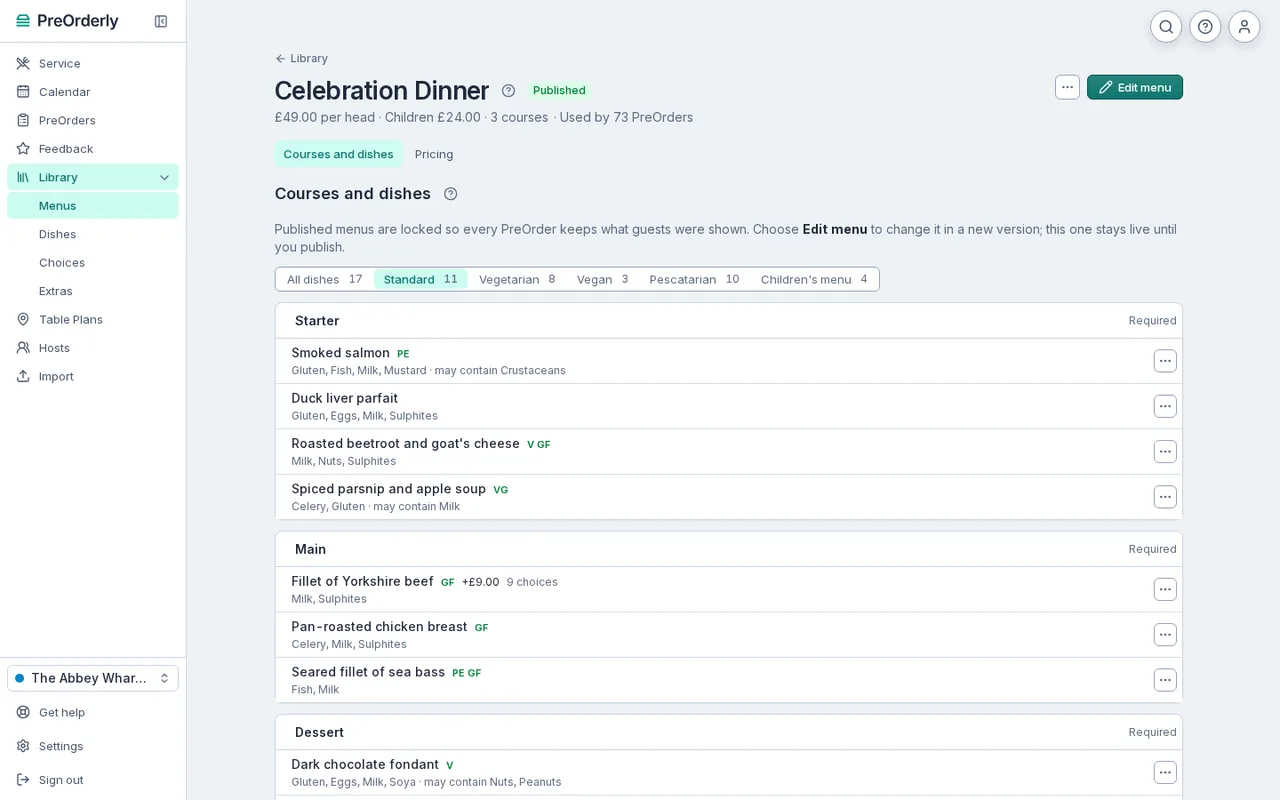
Every dish shows the allergens it contains, with named cereals and nuts.
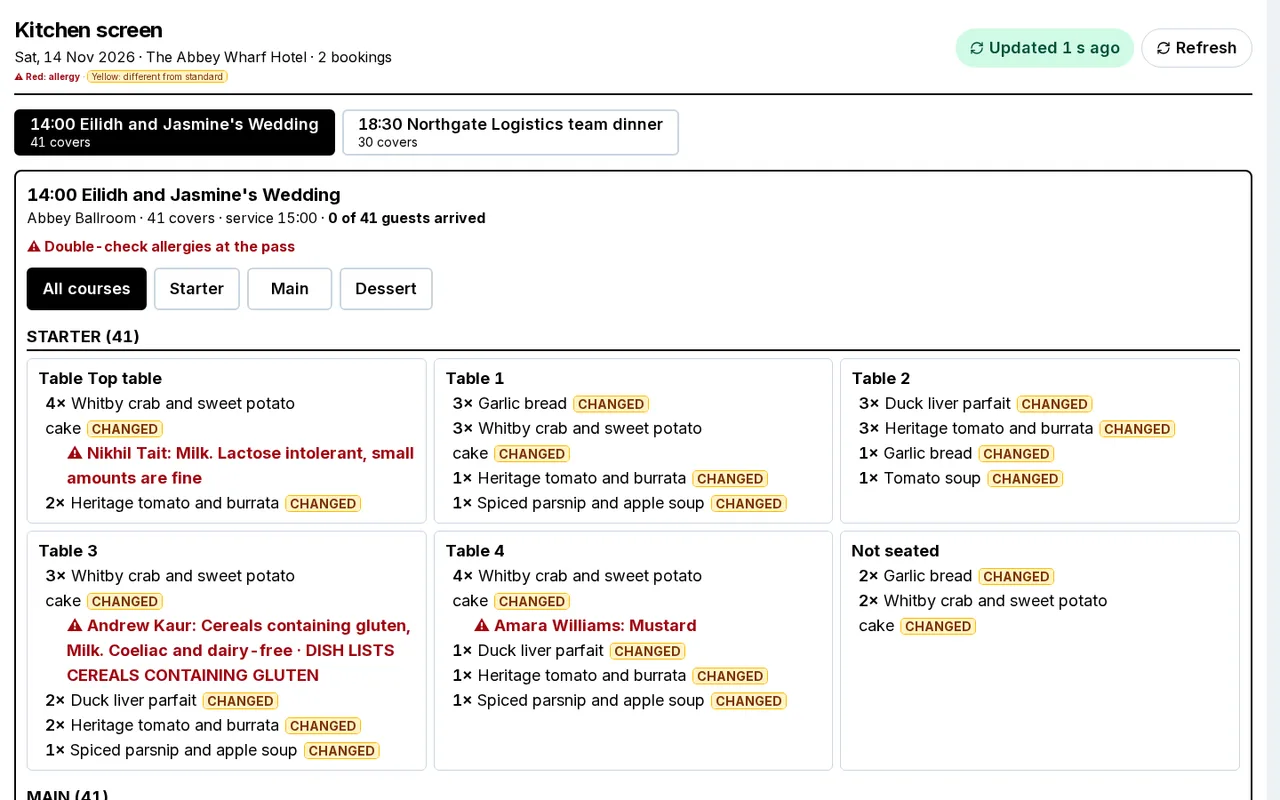
Allergy warnings in red on the plate they belong to.
What the matrix covers
The matrix lists each dish on a menu against the 14 allergens that UK law requires food businesses to declare:
- Celery, cereals containing gluten, crustaceans, eggs, fish, lupin, milk, molluscs, mustard, peanuts, sesame, soya, sulphur dioxide and sulphites, and tree nuts.
- For cereals containing gluten and tree nuts, the specific cereal or nut, such as wheat, barley, almond or walnut.
- May contain, for allergens the kitchen cannot rule out through cross-contact.
- Choices, such as sauces or sides, unless you mark a choice to leave out because it adds no allergens.
Your kitchen stays in charge
PreOrderly records what you and your guests enter and highlights conflicts. It does not decide whether a dish is safe for someone. The Food Standards Agency recommends written allergen information backed by a conversation with the customer, and your team should always confirm allergies with the guest on the day.
If you want a paper matrix for menus that are not in PreOrderly yet, the Food Standards Agency publishes its own allergen matrix, and our free spreadsheet template is on the resources page as a planning aid for set and festive menus.
How guest allergies are handled
When a guest chooses their food, they are asked whether they have any food allergies and which. Their details are saved only if they agree to share them; without that, staff ask on arrival. Each declaration appears in Needs attention until a member of your team has checked it against the guest's choices and marked it reviewed. Conflicts are highlighted, and you can add a note for the kitchen. The allergy list on the day names each guest, their table and what they declared.
Plans and fees are explained on the pricing page. 30 days free, extended to your first event (up to 60 days).
Free resources
Allergen matrix template
Free to download, no email needed.
Get the templateAllergen information for group bookings: what the FSA expects
Read the guide
Which allergens does PreOrderly cover?
The 14 allergens UK food businesses must declare, with the specific cereal or nut named, and may contain for cross-contact.
Is the matrix certified?
No. PreOrderly is a tool for recording and sharing your allergen information. Your kitchen is responsible for its accuracy and for confirming allergies with each guest.
Can we leave out choices that add no allergens?
Yes. Mark a choice, such as steak cooking, to leave it out of the matrix. Choices that add allergens always show.
Do guests see the allergens?
Yes. Guests see the allergens and may contain on each dish when they choose, and are warned about dishes that conflict with what they declared.
Your next big table, sorted before it arrives.
Set up your menu and send your first PreOrder today.
30 days free, extended to your first event (up to 60 days) · No contract